
Git
本文旨在windows上的配置1. 下载
2. 安装
3. 配置常用命令
tree下载 tree 的二进制文件
解压后将 tree.exe 放入 Git Bash 的 usr/bin 目录
通常是 C:\Program Files\Git\usr\bin
使用 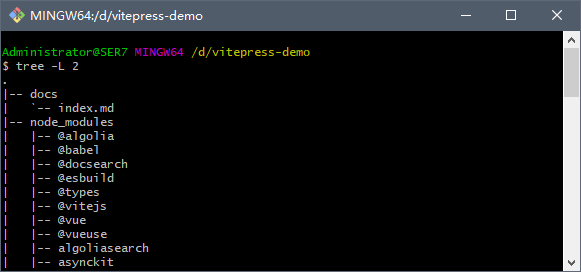
4. git 初始化
markdown
1. 注册 gitee 账号 https://gitee.com/
2. 登录后,进入个人配置页 https://gitee.com/profile/account_information
3. 启动 git,参考官网文档 https://help.gitee.com/base/account/SSH%E5%85%AC%E9%92%A5%E8%AE%BE%E7%BD%AE 配置 ssh-keys
4. 进入邮箱管理配置页面https://gitee.com/profile/emails,确保 `不公开我的邮箱`处于`非勾选`状态
如此操作后,则可以创建仓库,进行项目的版本管理了